
A CMS that uses GitHub as a database
March 10, 2026 • 4 min read
The idea of file-managed content was not new to me, but this portfolio was the opportunity to take the concept to another level: building a simple CMS using the GitHub repository itself as a database.
The need
When the need arose to create a portfolio for my girlfriend, who is a scriptwriter and comic artist, the first question was: how is she going to update the content by herself, without needing me every time?
The idea of file-managed content was not new to me. In the source code of my own blog, I already used markdown files as the source for my posts, a simple way to have dynamic content without a database.
Arântia’s portfolio was the opportunity to take this concept to another level: from artisanal convention to a simple CMS, with an admin interface, authentication, and integration with the Github API.
But then came the second question: where to store the data?
The problem with the obvious choices
Headless CMSs like Contentful and Sanity are great, but they have limited free plans and add dependencies on external services. A traditional database would require a running server, which also has costs.
For a personal portfolio, this is over-engineering. The solution was to use what was already there: the portfolio’s own Github repository.
Two repositories, one system
The project is divided into two independent Next.js repositories:
- Public portfolio: hosted on Github Pages as a static site. No server, no cost. Content is read from JSON files located inside the repository itself, and pages are generated at build time. It also features full support for three languages (PT, EN, and ES) with automatic detection based on the visitor’s browser, which is crucial for reaching a broader audience.
- Admin panel (CMS): a private app, running locally or on any server, with authentication via GitHub account. Only authorized emails can log in. This is where she adds, edits, and removes comics and illustrations from the portfolio.
GitHub as a database
The most interesting part of the architecture: the CMS has no database of its own. It communicates directly with the GitHub REST API to read and write to the portfolio repository.
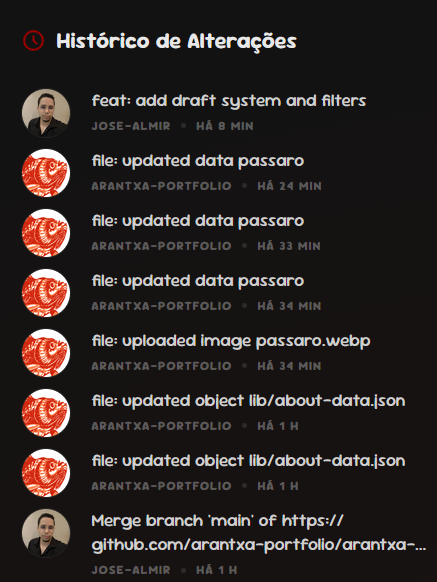
Each operation, like adding, editing, or removing an item, generates an automatic commit with a descriptive message. This commit triggers GitHub Actions, which rebuilds and publishes the site automatically, with no manual action required. The commit history also acts as an audit log for all published content.
---
title: CMS and GitHub Integration Architecture
---
flowchart LR
    CMS["CMS Admin"]
    GH["GitHub (Repository)"]
    PORT["Portfolio<br/>(Next.js • SCSS • i18n)"]
    GHP["GitHub Pages"]

    CMS -- "Publishes content" --> GH
    CMS -- "Webhooks / API" --> GH
    GH -- "Build" --> PORT
    PORT -- "Push/Deploy" --> GH
    PORT --> GHP

    linkStyle default stroke-width:3px;
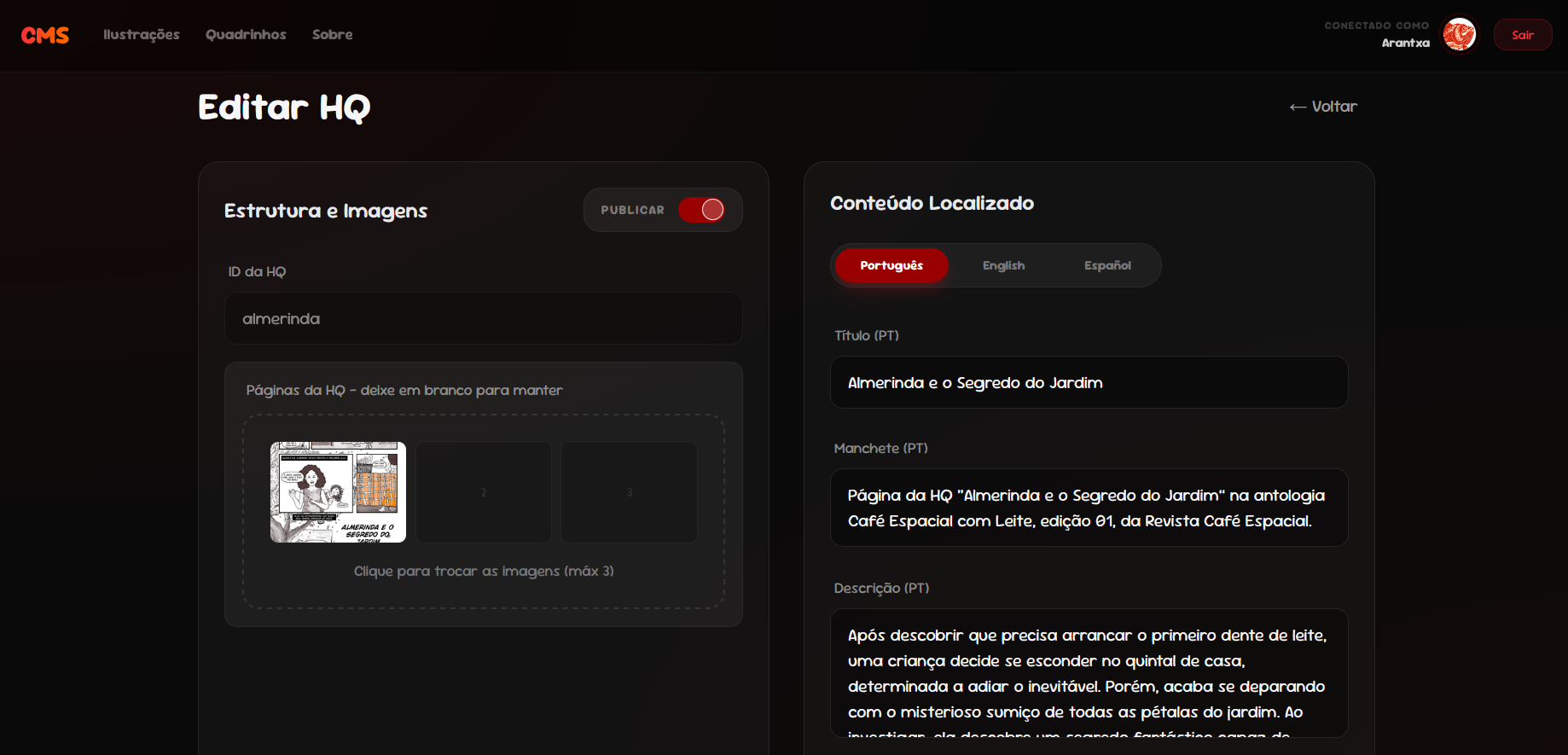
We can also see a glimpse of the private CMS:
This is what the commit history looks like:
Why this works well here
This solution is not for every project. It makes sense in a specific context:
- Low volume of content and sparse updates
- Zero cost is a priority
- The content is essentially static (no end-user interactivity)
- The repository already exists and is the single source of truth for the project
For a personal portfolio, GitHub provides authentication, file storage, a REST API, access control, and commit history, all for free and with reliable infrastructure.
In the end, what matters most is that the technology remains invisible to the user. My girlfriend adds a new comic, the site updates, and she doesn’t need to know anything about APIs or commits for that to happen. That is the part I’m most proud of in this project.
Check out the live portfolio below:
Preview unavailable
This website doesn't allow embedding.